
Facebook Ad Library Scraper
Scrape all ads from facebook ad library at low cost, with high success rate
The Facebook ad library scraper is an Apify actor designed to extract ads from Meta or Facebook ad library and also scrape ads run by given list of facebook pages.
With Meta ad library you can search all of the ads currently running across Meta technologies, as well as ads about social issues, elections or politics that have run in the past seven years, Ads that have run anywhere in the EU in the past year.
Facebook ads library scraper data fields
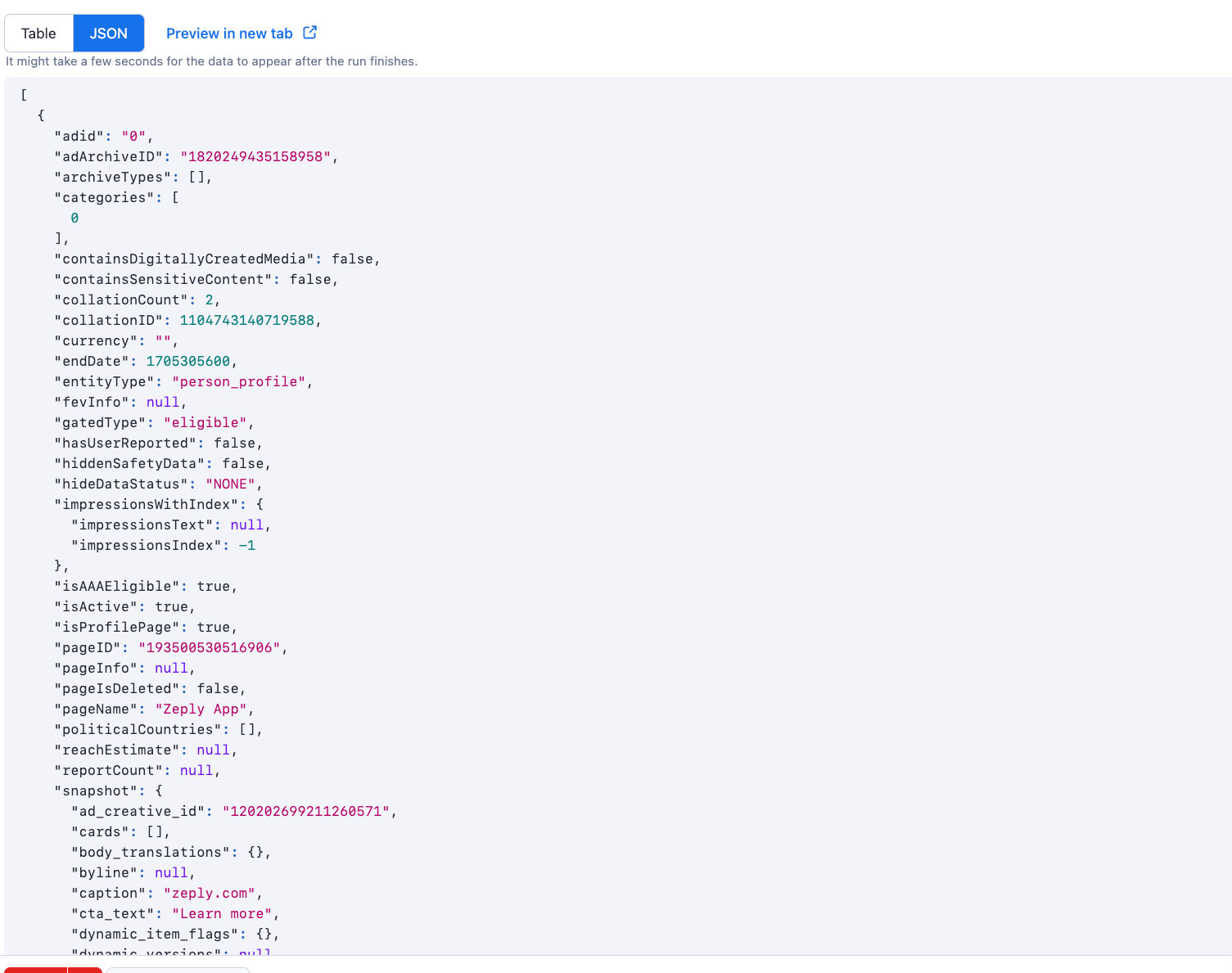
You can get all the fields listed in below table (and more) from this scraper
| 💼 Ad ID | 🌐 Ad Archive ID | 🗄️ Archive Types |
|---|---|---|
| 📚 Categories | 💻 Contains Digitally Created Media | 📊 Collation Count |
| 📊 Collation ID | 💵 Currency | 🕒 End Date |
| 🌐 Entity Type | 📈 Gated Type | ❌ Has User Reported |
| 🚨 Hidden Safety Data | 🔍 Hide Data Status | 🔄 Impressions With Index |
| 🌐 Is AAA Eligible | 🚀 Is Active | 📋 Is Profile Page |
| 📜 Page ID | 📜 Page Name | 🌐 Political Countries |
| 🌐 Reach Estimate | 🔍 Report Count | 📸 Snapshot of Ads creatives) |
| 💰 Spend | 🕒 Start Date | 🚩 State Media Run Label |
| 🚀 Publisher Platform | 📚 Menu Items | 🏢 Advertiser |
| 📊 Insights | 🚀 AAA Info |
Features
Proxy Support: To enhance reliability and avoid rate limiting issues, the actor supports proxy usage. You can provide a list of proxies that will be rotated automatically to ensure smooth and uninterrupted scraping.
Scalability and Performance: The actor is built on the Apify platform, which ensures scalability and excellent performance. It utilizes parallel processing to scrape multiple pages simultaneously, maximizing efficiency and minimizing the overall scraping time.
Data Export and Integration: Once the scraping process is complete, you can easily export the extracted data in various formats such as JSON, CSV, or Excel. This allows for seamless integration with other tools and platforms for further analysis and utilization.
Automatic Retry and Error Handling: In case of temporary issues like network failures or timeouts, the actor has built-in automatic retry functionality. It intelligently handles errors to ensure a smooth and uninterrupted scraping experience.
How to scrape facebook ad library
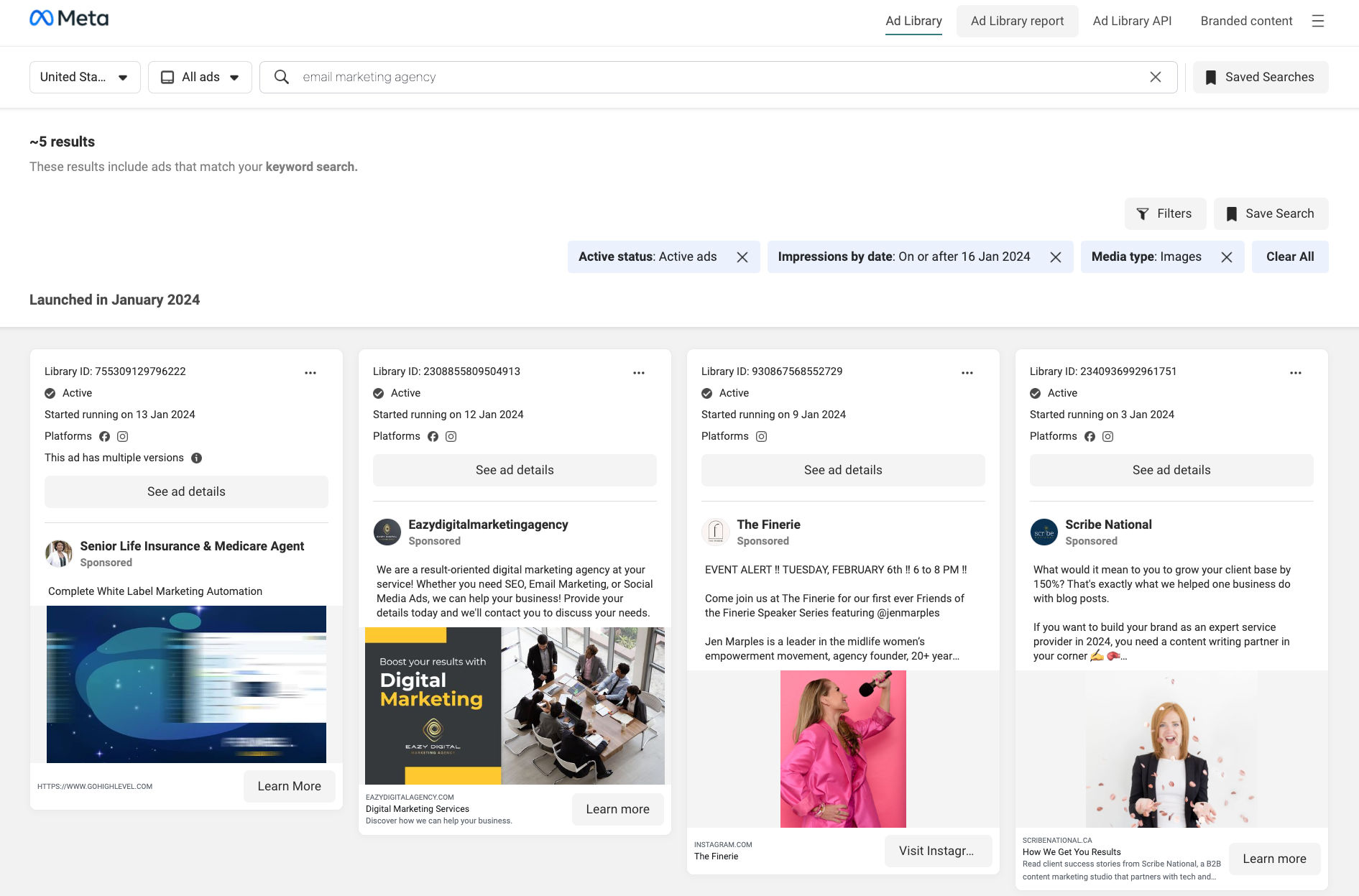
- Visit facebook ad library page and search for ads based on your requirements
- Copy the URL from the browser's address bar
- Go to Facebook ad library scraper on the Apify platform
- Click the Try for free button
- Enter the ad library search results page Url
- If you want to scrape additional ad details such as EU transparency, EU total reach, etc, enable "Scrape ad details" option
- Select a proxy
- Click the Start button
- When the run has finished, click the Export button to download the ads
How to scrape ads run by facebook pages
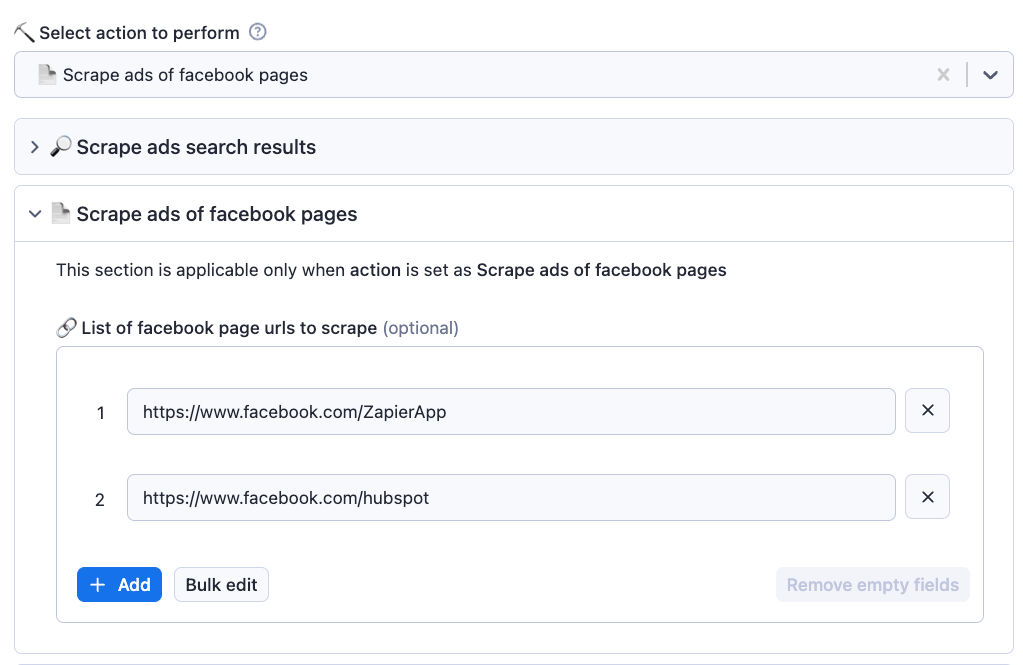
- Create a list of facebook page URLs to scrape ads
- Go to actor's input page
- Select action to perform as 'Scrape ads of facebook pages'
- Go to 'Scrape ads of facebook pages' section and click on 'Bulk edit' and paste the page URLs into the text box
- Select a proxy to use and run the scraper
Other interesting scrapers
We also offer many other interesting scrapers for various use cases at affordable cost. Here are a few
- Indeed jobs scraper: Scrape jobs from indeed along with details of company posted the jobs.
- Similarweb advanced scraper: Scrape traffic insights and other useful data of websites in bulk. Get keywords, industries, technologies and competitors data.
- Apollo company search scraper: Scrape valuable information about companies from apollo company search
Integrations
You can use Make to integrate Facebook ad library scraper to any other SaaS platform by designing your own automation flows.
How to extract ads data from Facebook using API?
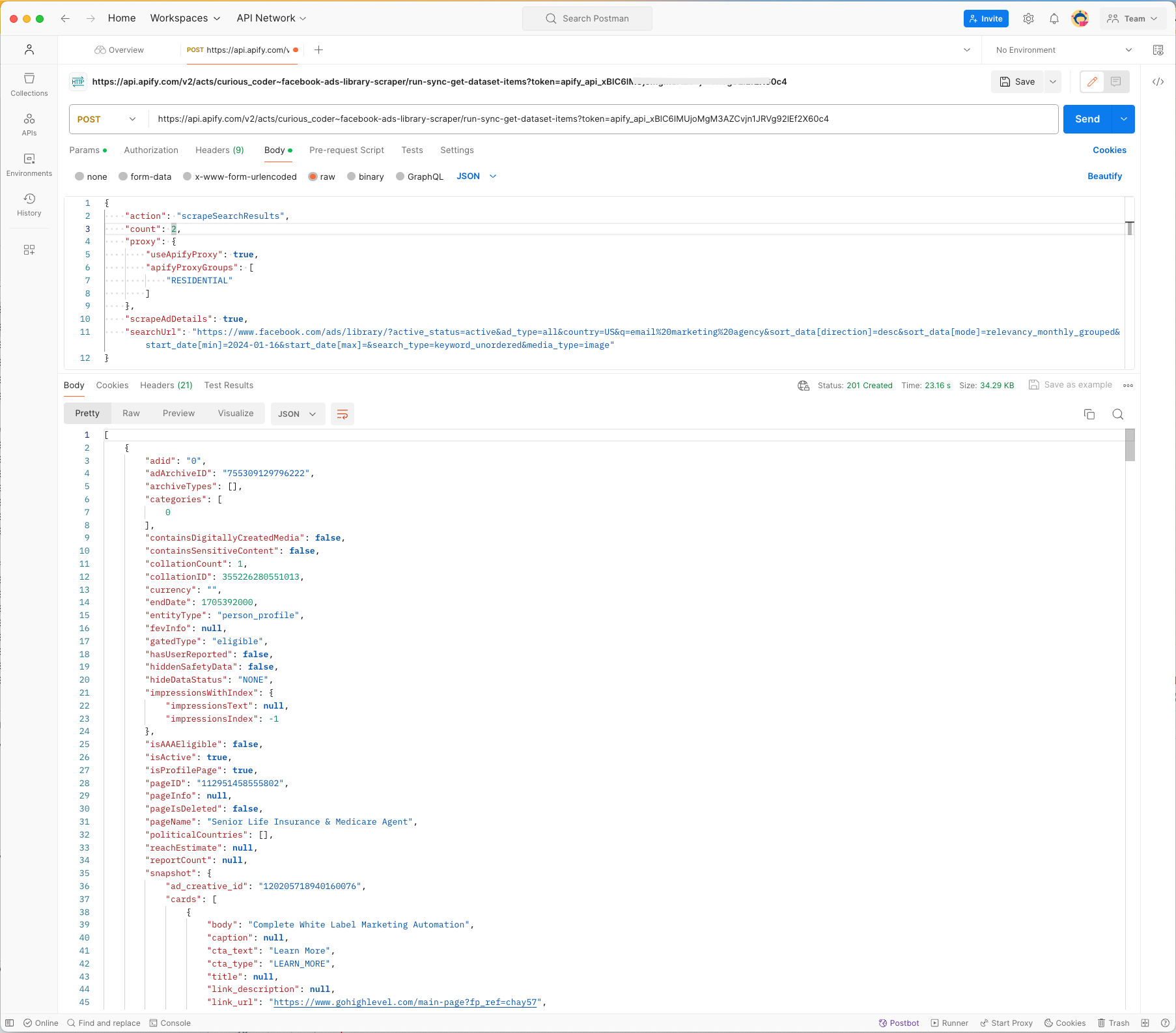
You can also run the scraper using API and get the collected data using the API. For more information, Go to Facebook ad library scraper API integration page.
Here is an example of fetching the ads data via API using Postman:
Your feedback
We’re always working on improving the performance of our Actors. So if you’ve got any technical feedback for this scraper or simply found a bug, please create an issue on the actor’s Issues tab in Apify Console
For additional information you can email us at hisupremecoder@gmail.com
Frequently Asked Questions
Is it legal to scrape job listings or public data?
Yes, if you're scraping publicly available data for personal or internal use. Always review Websute's Terms of Service before large-scale use or redistribution.
Do I need to code to use this scraper?
No. This is a no-code tool — just enter a job title, location, and run the scraper directly from your dashboard or Apify actor page.
What data does it extract?
It extracts job titles, companies, salaries (if available), descriptions, locations, and post dates. You can export all of it to Excel or JSON.
Can I scrape multiple pages or filter by location?
Yes, you can scrape multiple pages and refine by job title, location, keyword, or more depending on the input settings you use.
How do I get started?
You can use the Try Now button on this page to go to the scraper. You’ll be guided to input a search term and get structured results. No setup needed!